Stage 7 - BOM: Centralized Dependency Version Management
A Spring project may use dozens of related libraries. If every dependency declares its own version manually, the project can easily combine versions that were never tested together.
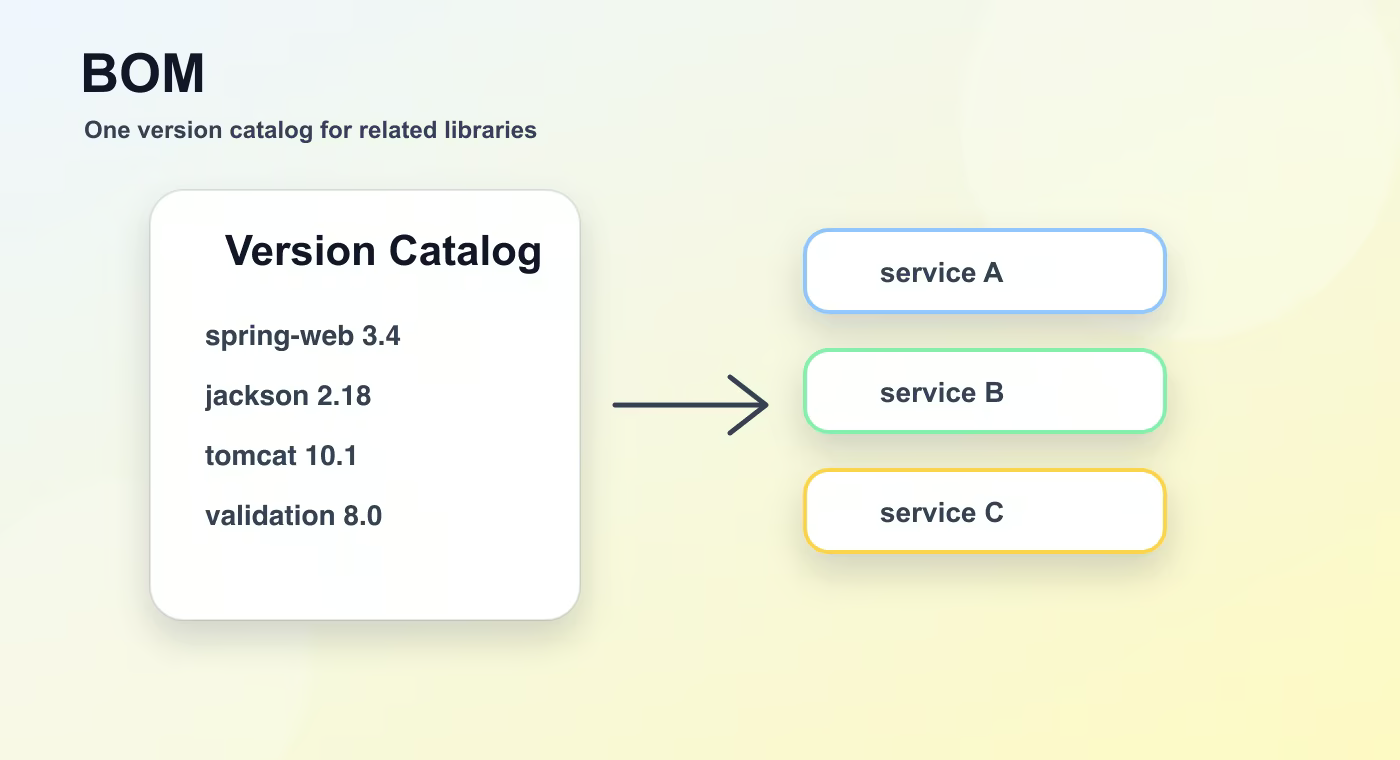
BOM means Bill of Materials. In Java builds it is a POM or platform that centralizes versions for a family of dependencies so applications can use compatible versions without repeating them everywhere.
Why this topic exists
In Maven, a BOM is usually imported in dependencyManagement with type pom and scope import. Dependencies then omit versions, and Maven takes the version from the BOM.
Spring Boot uses a BOM to manage versions for Spring, Jackson, logging, Tomcat, validation, testing libraries, and many other artifacts. That is why a Boot app often declares dependencies without explicit versions.
In Gradle, the equivalent is often a platform or the Spring dependency management plugin. Java Platform BOMs can be published so several projects share the same dependency version policy.
A company can create its own BOM to align internal libraries. This is useful when many services must use the same logging, tracing, database driver, or security library versions.
A BOM does not add dependencies by itself. It manages versions. You still decide which dependencies the application actually uses.
Build flow
- BOM imports versions.
- dependencies omit versions.
- build resolves compatible set.
This sequence is the mental model to keep while reading build files. The names are different in Maven and Gradle, but the practical question is the same: what input is used, what task runs, what output is produced, and where that output is stored.
Concrete example
<dependencyManagement>
  <dependencies>
    <dependency>
      <groupId>org.springframework.boot</groupId>
      <artifactId>spring-boot-dependencies</artifactId>
      <version>3.5.7</version>
      <type>pom</type>
      <scope>import</scope>
    </dependency>
  </dependencies>
</dependencyManagement>
Useful reference
| Concept | Meaning |
|---|---|
| BOM | Central list of dependency versions. |
| dependencyManagement | Maven section that manages versions without adding dependencies. |
| import scope | Imports another POM's managed versions. |
| Platform | Gradle mechanism for shared version constraints. |
How this is used in real projects
Use a BOM when many related dependencies must move together. Avoid mixing random explicit versions into a BOM-managed project unless you know why the override is needed.
In a team setting, build knowledge is not optional theory. It affects local development, CI time, dependency upgrades, release stability, and debugging. When a Spring service fails to start after a dependency change, when CI downloads a different library version, or when an artifact cannot be deployed, the answer is usually in the build configuration, dependency graph, packaging step, or repository setup.
Common mistakes
- Copying configuration without understanding which layer of the build it affects.
- Treating a local successful build as proof that CI and production delivery will work.
- Ignoring dependency trees, generated output, and repository rules until a release fails.
- Mixing application runtime configuration with build-time configuration.
Understanding checklist
- I can explain the main terms in this article without reading the build file aloud.
- I can draw the sequence from source code to artifact for this topic.
- I can name the command or file I would inspect first during a build problem.
Self-check questions
- What problem does this build concept solve in a real Java or Spring project?
- Which file or command gives the fastest evidence when something goes wrong?
- What mistake would make the build work locally but fail in CI or another developer environment?
Practice Before the Next Lesson
Open a Spring Boot project and find where dependency versions are managed. Pick one Spring starter that has no explicit version in the build file, then explain which BOM or parent configuration provides that version.